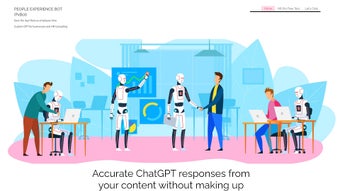

Download Peoplexbot – AI chatbot for business efficiency
Introduction
In today’s hyper‑connected business environment, companies are constantly searching for tools that can cut through information overload, accelerate decision‑making, and keep customer experiences smooth. A modern AI‑driven chatbot can be the catalyst that transforms static knowledge bases into living, conversational assistants. Peoplexbot positions itself exactly at this intersection of speed, security, and intelligence.
Built on the latest GPT architecture, it offers a web‑first experience that can be tailored to any industry—from tech support and retail to HR and finance. What sets Peoplexbot apart is its promise of a one‑day deployment, multilingual fluency, and enterprise‑grade encryption, all wrapped in a drag‑and‑drop interface that lets non‑technical users craft sophisticated dialogue flows. Over the next sections, we’ll dive deep into the platform’s core capabilities, walk through the installation process, explore compatibility details, weigh the pros and cons, and answer the most common questions users have before committing to a trial.
Whether you’re a startup looking to automate repetitive queries or a multinational corporation seeking a secure, scalable knowledge‑sharing layer, this review will give you the insights needed to decide if Peoplexbot is the right fit for your organization.
Overview
Peoplexbot (often shortened to PxBot) is a web‑based, custom AI chatbot built on the latest GPT architecture. Designed for midsize to enterprise‑level organizations, the platform replaces static SOP binders, sprawling FAQ pages, and time‑consuming email loops with a single, intelligent conversational interface. By allowing businesses to craft bespoke chat flows, Peoplexbot adapts to industry‑specific jargon, multilingual support, and brand voice, delivering instant, context‑aware answers to both employees and external customers.
The solution emphasizes security: every conversation is encrypted end‑to‑end, and chat instances are sandboxed to prevent data leakage. While the AI is powerful, Peoplexbot encourages users to verify critical information against trusted sources, acknowledging that generative models can occasionally produce plausible‑but‑inaccurate statements. The platform also doubles as a content‑generation engine, assisting marketing teams with social media copy, blog outlines, and internal newsletters.
With a one‑day setup promise, PxBot claims to cut down information‑retrieval time by up to 60 %, freeing staff to focus on strategy, creativity, and problem‑solving. Whether you’re a SaaS provider looking to improve ticket triage, a retail chain needing multilingual support, or a corporate HR department wanting a self‑service knowledge base, Peoplexbot offers a flexible, scalable, and secure solution that aligns with modern digital‑first strategies. Its modular design also means you can start with a single department bot and expand organization‑wide as adoption grows.
Key Features and Benefits
Peoplexbot packs a comprehensive suite of capabilities that go beyond a simple question‑and‑answer bot. Each feature is engineered to reduce friction for both administrators and end users, while maintaining a high bar for data protection and performance. Below you’ll find an expanded description of the most impactful functionalities, followed by a detailed list that can be indexed by search engines through the itemprop="featureList" attribute.
- Customizable GPT‑powered chatbot: Build unique conversation trees, import existing SOPs, and train the model on proprietary data.
- Multilingual support out of the box: Automatic language detection and response in over 20 languages, ideal for global teams.
- One‑day deployment: Guided onboarding wizard, pre‑built templates, and a drag‑and‑drop flow editor accelerate implementation.
- Secure, encrypted conversations: TLS 1.3 encryption, data residency options, and role‑based access controls protect sensitive information.
- Self‑contained chatbot instances: Each department can host its own isolated bot, reducing cross‑contamination of data.
- Integration ready: Native connectors for Slack, Microsoft Teams, Zendesk, Salesforce, and custom webhook support.
- Analytics dashboard: Real‑time insights on usage, satisfaction scores, and common queries help refine knowledge bases.
- Content generation tools: AI‑assisted drafting for marketing copy, internal memos, and social media posts.
- Scalable cloud architecture: Auto‑scaling servers handle spikes in traffic without performance degradation.
- Continuous updates: Monthly model improvements and security patches are applied automatically.
Installation & Usage Instructions
Getting Peoplexbot up and running is intentionally straightforward. Follow these steps to launch your first chatbot within a single business day, and you’ll quickly see why the platform boasts a “one‑day deployment” tagline.
- Create an account: Visit the official Peoplexbot website, click “Sign Up,” and provide basic company information. A verification email will confirm your ownership.
- Select a plan: Choose between the “Starter,” “Professional,” or “Enterprise” tier based on user seats and required integrations. All plans include a 14‑day free trial.
- Configure your domain: If you prefer a branded URL (e.g., chat.yourcompany.com), add a CNAME record pointing to Peoplexbot’s CDN. The platform also offers a hosted subdomain (yourcompany.peoplexbot.com) for immediate use.
- Design the bot flow: Use the visual Flow Builder to drag and drop nodes. Import existing SOP PDFs or CSVs, and map them to intents. For quick start, select a pre‑built template (HR, Support, Sales) and customize the language.
- Train the model: Upload internal documents, knowledge‑base articles, or past chat logs. Peoplexbot automatically extracts entities and fine‑tunes the GPT core for your terminology.
- Set up integrations: Connect to Slack, Teams, or your ticketing system via the Integration Center. Provide API keys and define trigger actions (e.g., create a ticket when the bot can’t answer).
- Define security policies: Enable end‑to‑end encryption, set data retention periods, and assign admin roles. The platform complies with GDPR, CCPA, and ISO 27001.
- Test in sandbox mode: Run simulated conversations to verify accuracy, language handling, and fallback responses. Adjust intents based on the test results.
- Go live: Flip the “Publish” switch. The bot becomes instantly accessible via the web widget, mobile apps, or integrated channels.
- Monitor and iterate: Use the Analytics Dashboard to track usage metrics, satisfaction scores, and unanswered queries. Refine the knowledge base weekly to improve performance.
The entire workflow is web‑based, meaning you don’t need to install any local software. For on‑premise requirements, Peoplexbot offers a Docker‑compatible image that can be deployed behind your firewall, preserving the same feature set while meeting strict compliance needs.
Compatibility, Pros & Cons
Peoplexbot is a cloud‑native solution that runs on any modern browser, making it inherently cross‑platform. The underlying infrastructure supports Windows, macOS, Linux, iOS, and Android through responsive web design and native mobile SDKs. For organizations with strict data‑residency policies, a private‑cloud deployment option is available, ensuring that all processing occurs within your chosen geographic region. The platform’s modular architecture also means you can integrate it with on‑premise ERP or CRM systems via secure APIs, giving you the flexibility to keep critical data behind your own perimeter while still benefitting from the AI engine hosted in the cloud.
Operating System Support: Web (Chrome, Edge, Firefox, Safari), Windows 10/11, macOS 10.15+, Linux (Ubuntu, Debian), iOS 13+, Android 8+
Pros
- Rapid one‑day deployment minimizes downtime.
- Highly customizable GPT core aligns with niche industry vocabularies.
- Robust multilingual capabilities broaden global reach.
- End‑to‑end encryption and role‑based access keep data secure.
- Seamless integration with popular collaboration and ticketing tools.
- Analytics and AI‑driven insights accelerate continuous improvement.
- Scalable architecture handles sudden traffic spikes without latency.
- Content generation features add value beyond support functions.
- Free trial and flexible pricing accommodate businesses of any size.
- Compliance with major data‑privacy regulations (GDPR, CCPA, ISO 27001).
Cons
- Advanced customization may require a learning curve for non‑technical users.
- Dependence on internet connectivity for cloud‑hosted version.
- AI responses, while accurate, still need human verification for critical decisions.
- Higher‑tier plans can become costly for large enterprises with many seats.
- On‑premise Docker deployment requires internal DevOps resources.
Peoplexbot delivers a compelling mix of speed, security, and AI sophistication. Its ability to ingest company‑specific documents and generate a tailored chatbot in a single day sets it apart from legacy help‑desk solutions. While the platform shines in multilingual environments and offers deep integrations, organizations should allocate resources for ongoing training and validation to keep the AI’s output reliable. Overall, the tool is a strong candidate for businesses seeking to modernize internal knowledge sharing and customer support.
Conclusion & Frequently Asked Questions
In today’s fast‑paced business landscape, the margin between a quick answer and a delayed response can determine customer loyalty and employee productivity. Peoplexbot empowers companies to close that gap with an AI‑driven, secure, and highly customizable chatbot that can be deployed in a single day. Its multilingual support, rich analytics, and seamless integrations make it a future‑proof investment for organizations looking to automate routine queries while preserving the human touch for complex issues. If you’re ready to replace static SOP binders with a living, learning assistant, download Peoplexbot now and start your free trial. The combination of rapid onboarding, enterprise‑grade security, and continuous AI improvements positions Peoplexbot as a strategic asset for any forward‑thinking enterprise.
Can Peoplexbot be used on mobile devices?
Yes. Peoplexbot’s web interface is fully responsive, and native SDKs are available for iOS and Android, allowing you to embed the chatbot in mobile apps or access it via a mobile browser.
How does Peoplexbot ensure data security?
All communications are encrypted with TLS 1.3, chats are stored in isolated containers, and role‑based access controls limit who can view or edit data. The platform also complies with GDPR, CCPA, and ISO 27001 standards.
Is there a free trial available?
Yes. Peoplexbot offers a 14‑day free trial with full access to all features, allowing you to evaluate the chatbot before committing to a paid plan.
Can I integrate Peoplexbot with my existing ticketing system?
Absolutely. Native connectors are available for Zendesk, ServiceNow, Freshdesk, and you can also use custom webhooks to connect to any REST‑ful ticketing platform.
What happens if the AI provides an inaccurate answer?
Peoplexbot includes a “fallback to human” option and logs all interactions for review. It is recommended to verify critical information against trusted sources, as the generative model may occasionally produce plausible‑but‑incorrect statements.



.png)



